Update your CV without starting over
Keep your original. Bring the text in, review the sections and edit a new copy here. Nothing is uploaded.
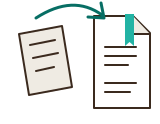
A Word file (.docx), a PDF, a text file or a draft you saved here, up to 3 MB. For a scan or a photo, copy the text instead. Layout, pictures, headers and footers are not imported.
Nothing is uploaded or saved automatically. Keep the original file.
Text checks do not verify facts, grammar, qualifications or the final layout. They do not simulate an ATS or assign a score. Run through the CV file checklist before sending.
Edit, recheck and download
Work here without leaving the page. Save a draft file to use this CV in another tool. Open that file there; personal text is never put in a link.
Your details
Town or city, email, phone and a relevant professional link. You can omit your full street address.
Your sections
Use “Move up” and “Move down” to change the order. Start bullet lines with a hyphen and a space.
Match a job advert (optional)
Paste the job advert or person specification. Compare its wording with your CV, then choose which real examples to make clearer.
The advert stays on this page and is never uploaded. It is left out of saved drafts and of the Word, text and print files. Reloading the page or replacing your CV clears it.
Keep headings such as “Essential” and “Desirable” when you paste.
Compare the advert with your CV
These are wording matches, not proof that you meet a requirement. Read the whole statement, including “not”, “or”, dates and any qualification level. A missing phrase may be expressed differently in your CV.
Keep only claims you can explain at interview. For help turning a duty into an example, use the work-experience guide. The tailoring guide explains what to give more space.
Fictional CV text is still present. Any matches in that text belong to the example, not to you.
Headings and a few wording rules sort the advert. Check “Other advert text” too; an unfamiliar heading may leave a requirement there. Each statement is searched for its own wording first, ignoring capitals and extra spaces. If that is missing, a plural or a same-meaning wording from a short list (such as “customer care” and “customer service”) is shown as similar wording to check, never as a match. It does not check qualifications. How the comparison works.
Job notes (only you see these)
Copy the job requirements that matter most, then note what you did that shows it. Move the strongest examples into the CV yourself. These notes never appear in the Word, text or print files.
Your notes stay on this page and are never uploaded. “Save draft” keeps them in your draft file; loading an example or choosing “Clear all” replaces them.
My applications (only you see these)
One row for each job: its closing date, where it has got to, which CV and letter went with it and what to do next. The rows are saved in your draft file and kept on this device if you turn that on. They never appear in your CV.
Example application, made up. Type yours over it, or clear it.
Example: Customer Assistant, Morrisons, Chelmsford closes in 12 days, on Sunday 29 November.
Document preview
0 words
Fictional example until you start: Maya Thompson’s CV in the design you pick.
Design: your text stays the same
Infographic shows three or four key figures in boxes under your name.
Black and grey in this design
Optional. Most UK employers expect a CV without a photo, so add one only when the job asks for it.
Each sheet is one A4 page of your PDF, at true proportion. Word can wrap a line differently, so check every page of the file you send.
Check before you download
Find missing details, repeated headings and some date inconsistencies. This does not check grammar, verify facts or predict an employer’s screening result.
Save your CV
Free, no account, no trial.
The PDF is made on your device in the design you picked and follows the Word file’s layout. Check every page before you send it, and send the file type the employer asks for.
What to change when you update a CV
Once it is in the editor, go through these in order. Most CVs need all of them after a year or more.
- Your latest job. Add it at the top, or change “present” to the month you left. Give it more points than older jobs.
- What you did this year. One or two results with a number, such as customers, money, time or people you trained. Turning duties into evidence shows how.
- New training and qualifications, each with its year.
- Older jobs. Cut them to a line or two so the recent ones have room.
- Contact details. Check the phone number, email address and town are the ones you use now.
- Your profile. Rewrite it for the job you want next, not the one you have.
Then check the CV for gaps, dates and placeholders, and compare it with the advert you are answering.